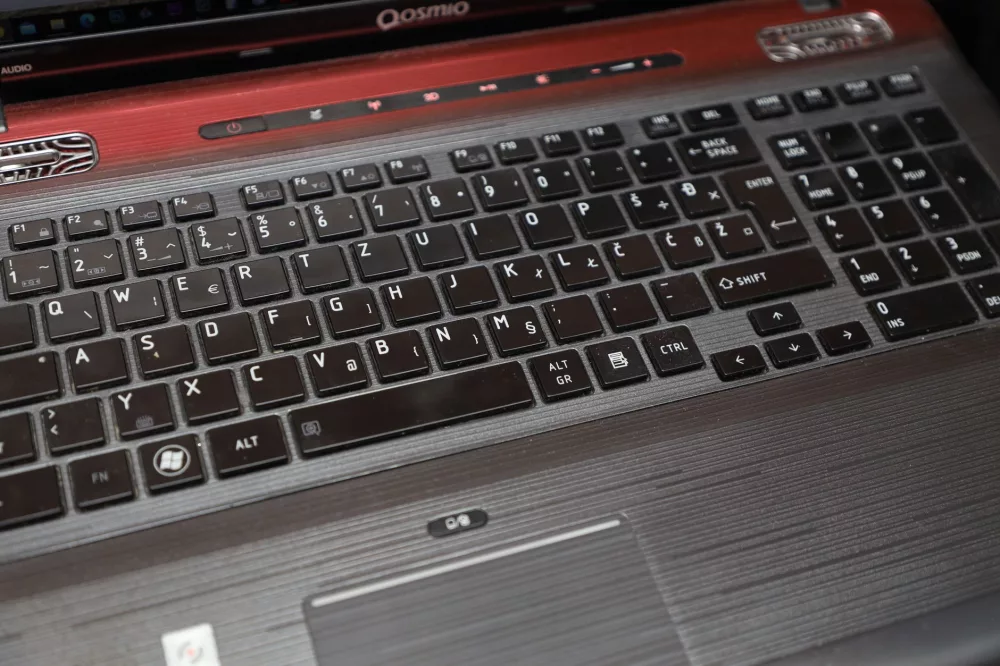
When we're on the hunt for a new computer, especially when the budget's tight, it's pretty natural to gravitate toward brands we know and trust. For a long, long time, Toshiba was absolutely one of those names in the laptop world. You know, they were known for producing a wide range of machines, from robust business notebooks to affordable consumer models, and many of us have fond memories of their reliability. So, it's no surprise that folks are still searching for 'cheap Toshiba laptops' hoping to snag a great deal.
The Current Landscape: Where Did Toshiba Go?
Here's the thing, though, and it's super important to acknowledge upfront: Toshiba officially exited the laptop manufacturing business in 2020. Yeah, I know, it's a bit of a shocker for some! They sold their remaining stake in their PC business to Sharp, which then rebranded the Dynabook line. So, if you're looking for a brand-new Toshiba laptop from an authorized retailer today, you simply won't find one. That doesn't mean your quest for a 'cheap Toshiba laptop' is over, not by a long shot, but it does change the strategy a bit.
Why the Enduring Interest in Toshiba Laptops?
Even with their exit, I've noticed a persistent interest in Toshiba's older models. Why is that? Well, I think it boils down to a few key factors:
- Perceived Durability: Many of Toshiba's older lines, especially their business-oriented Tecra and Portege series, were built like tanks. People remember that quality.
- Affordability (Used Market): Since new ones aren't available, the only option is used or refurbished. This automatically places them in a lower price bracket, which is exactly what 'cheap' implies.
- Specific Software Needs: Sometimes, folks need an older operating system or specific hardware compatibility that's easier to find in a legacy machine.
- Nostalgia: Let's be honest, sometimes we just like what we know!
Navigating the Used and Refurbished Toshiba Laptop Market
Alright, so if a new Toshiba is off the table, what are your options? We're talking used and refurbished. This is where you can genuinely find a 'cheap Toshiba laptop,' but it requires a careful approach to ensure you're getting value, not just a bargain-basement headache.
Where to Start Your Search
I'd suggest looking at a few key places:
- Online Marketplaces (eBay, Facebook Marketplace, Gumtree): These are treasure troves for used electronics. You'll find individuals selling their old machines, and sometimes even small-scale refurbishers.
- Refurbished Retailers (Amazon Renewed, Back Market, specialized tech refurbishers): These companies professionally test, clean, and often repair older laptops. They typically offer a warranty, which gives you much better peace of mind than buying from an individual.
- Local Computer Shops: Don't overlook your local independent computer repair and sales shops. Many of them refurbish and sell older models, and you might get personalized advice.
What to Critically Evaluate Before You Buy
When you're sifting through listings for these older machines, it's super important to be a detective. I always tell people to ask a lot of questions and scrutinize the details.
1. Model Series and Age:
- Toshiba Satellite: These were generally their consumer-grade laptops, offering a good balance of features and price. Many are quite old now.
- Toshiba Tecra/Portege: Often aimed at business users, these tended to have better build quality, security features, and sometimes more robust processors. They might stand the test of time better.
- How old is it, really? An 8-year-old laptop, even a well-built one, is going to struggle with modern software.
2. Core Specifications:
- Processor (CPU): Look for at least an Intel Core i3 or i5 (4th generation or newer, ideally). Anything older is going to feel sluggish with Windows 10/11. AMD equivalents are fine too, but check their generation.
- RAM (Memory): 4GB is an absolute minimum for basic browsing and email; 8GB is what I'd genuinely recommend for a smoother experience. You can often upgrade RAM, but factor that cost in.
- Storage: This is a big one. An SSD (Solid State Drive) is virtually non-negotiable for an older laptop. If it has an HDD (Hard Disk Drive), it'll feel incredibly slow. Often, replacing an HDD with an SSD is the single best upgrade you can make to an older machine.
- Graphics: Most cheap Toshiba laptops will have integrated graphics, which is fine for everyday tasks, streaming, and light photo editing. Don't expect to game on them.
3. Physical Condition:
- Cosmetics: Dings, scratches, and worn keys are common, but look out for cracked screens, loose hinges, or missing keys.
- Ports: Are all the USB ports, HDMI, and other connections functional?
- Battery Life: This is almost always the weakest link in an older laptop. Ask for an estimate of actual battery life, not just the original manufacturer's claim. Expect it to be significantly less, and factor in the cost of a replacement if you need portability.
- Screen: Check for dead pixels, lines, or uneven backlighting.
4. Seller Reputation and Warranty:
- From Individuals: Get as many photos and details as possible. Ask for proof it works. Assume no warranty.
- From Refurbishers: Look for a warranty (even 30-90 days is better than nothing) and a clear return policy. Read reviews of the refurbisher.
Potential Downsides to Consider
I wouldn't be doing my job if I didn't also point out some of the challenges:
- Limited Software Support: Older hardware might not officially support the latest Windows versions (like Windows 11), meaning you could be stuck on Windows 10, which will eventually lose support itself.
- Diminished Battery Life: As I mentioned, it's almost a given.
- No Manufacturer Warranty: You're on your own if something goes wrong, unless you buy from a reputable refurbisher with their own warranty.
- Performance Bottlenecks: Even with an SSD upgrade, an older processor and limited RAM can only do so much. Don't expect blazing speeds.
Are There Better Modern Alternatives for a Tight Budget?
If after all that, you're thinking a used Toshiba might be more hassle than it's worth, I totally get it! You know, the good news is that the entry-level laptop market has really improved. You might find better value and less potential headaches with a brand-new budget laptop from another manufacturer.
- Chromebooks: For basic web browsing, email, and cloud-based work, a Chromebook is an incredibly affordable, fast, and secure option. They start really cheap, often under $300.
- Entry-Level Windows Laptops: Brands like Acer, Lenovo, HP, and Dell offer very capable new laptops in the $300-$500 range. These will come with a full manufacturer's warranty, the latest Windows OS, and often better battery life than a used machine. Look for models with an SSD and at least 8GB of RAM.
- Used Laptops from Still-Active Brands: If you're set on used, consider models from brands that are still active. It can be easier to find parts or support.
Ultimately, finding a 'cheap Toshiba laptop' today is certainly possible, but it means stepping into the used and refurbished market. It's not about finding a new bargain, but about unearthing a functional piece of tech history. If you go this route, remember to be discerning, ask the right questions, and prioritize models that offer a reasonable blend of older hardware and potential for simple upgrades. Happy hunting!